How to Uninstall Programs on Windows 7 May 20, 2019May 20, 2019t3chvoid Comment Here is a quick video showing you guys how to uninstall programs you dont want on your computer, using the traditional uninstall process [...]Share this: Print (Opens in new window) Print Email a link to a friend (Opens in new window) Email Share on X (Opens in new window) X Share on Pinterest (Opens in new window) Pinterest Share on Facebook (Opens in new window) Facebook Share on Tumblr (Opens in new window) Tumblr Share on WhatsApp (Opens in new window) WhatsApp Like this:Like Loading…
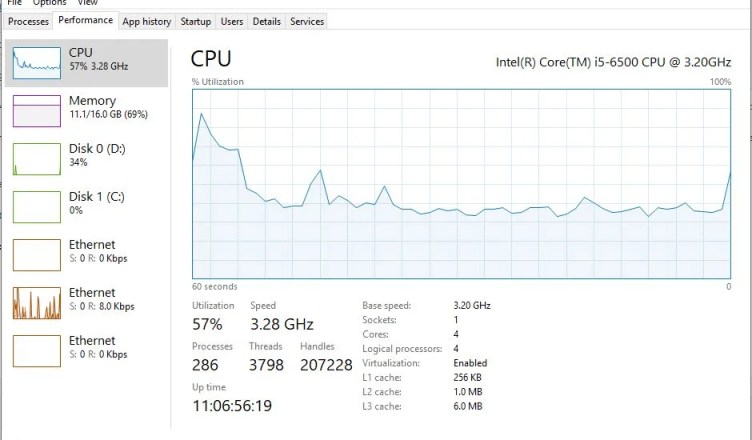
FOUR quick ways to open Task Manager on Windows 10/8/7/Vista/XP May 17, 2019May 20, 2019t3chvoid Comment Just wanted to share a quick video on four quick ways to open Task Manager on your Windows computer. My personal favorite is [...]Share this: Print (Opens in new window) Print Email a link to a friend (Opens in new window) Email Share on X (Opens in new window) X Share on Pinterest (Opens in new window) Pinterest Share on Facebook (Opens in new window) Facebook Share on Tumblr (Opens in new window) Tumblr Share on WhatsApp (Opens in new window) WhatsApp Like this:Like Loading…
HOW-TO: Control your Mouse Cursor Speed on Windows 10 / 8 / 7 / Vista May 16, 2019t3chvoid Comment Ran into a few situations recently where I had to change the mouse cursor speed on a few computers at work because the [...]Share this: Print (Opens in new window) Print Email a link to a friend (Opens in new window) Email Share on X (Opens in new window) X Share on Pinterest (Opens in new window) Pinterest Share on Facebook (Opens in new window) Facebook Share on Tumblr (Opens in new window) Tumblr Share on WhatsApp (Opens in new window) WhatsApp Like this:Like Loading…
HOW-TO: Package a PowerPoint Presentation to a USB in PowerPoint 2019/2016/2013/2010/2007 May 16, 2019t3chvoid Comment Hi All! When working in PowerPoint, it is always important to Package the presentation once you are done to ensure that the Presentation [...]Share this: Print (Opens in new window) Print Email a link to a friend (Opens in new window) Email Share on X (Opens in new window) X Share on Pinterest (Opens in new window) Pinterest Share on Facebook (Opens in new window) Facebook Share on Tumblr (Opens in new window) Tumblr Share on WhatsApp (Opens in new window) WhatsApp Like this:Like Loading…
HOW-TO: Install Google Chrome on Windows 10/8/7/Vista May 16, 2019t3chvoid Comment This is a quick video tutorial on how to install Google Chrome on Windows 10. It is part of my #Windows10Basics series. Stay [...]Share this: Print (Opens in new window) Print Email a link to a friend (Opens in new window) Email Share on X (Opens in new window) X Share on Pinterest (Opens in new window) Pinterest Share on Facebook (Opens in new window) Facebook Share on Tumblr (Opens in new window) Tumblr Share on WhatsApp (Opens in new window) WhatsApp Like this:Like Loading…
HOW-TO: Change your Default Web Browser on Windows 10 May 16, 2019t3chvoid Comment This is an important tutorial on how to change your Default Web Browser on Windows 10. Having the wrong Web Browser setup as [...]Share this: Print (Opens in new window) Print Email a link to a friend (Opens in new window) Email Share on X (Opens in new window) X Share on Pinterest (Opens in new window) Pinterest Share on Facebook (Opens in new window) Facebook Share on Tumblr (Opens in new window) Tumblr Share on WhatsApp (Opens in new window) WhatsApp Like this:Like Loading…
HOW-TO: Turn Off Suggested – Most Used – Recently Added Apps section on Windows 10 Start Menu May 16, 2019t3chvoid Comment This is a quick house keeping tip for those who are using Windows 10. Helps uncluttered your Start Menu and keep it organized [...]Share this: Print (Opens in new window) Print Email a link to a friend (Opens in new window) Email Share on X (Opens in new window) X Share on Pinterest (Opens in new window) Pinterest Share on Facebook (Opens in new window) Facebook Share on Tumblr (Opens in new window) Tumblr Share on WhatsApp (Opens in new window) WhatsApp Like this:Like Loading…
How to Set Internet Explorer to Always Open Pop Ups in a New Tab May 16, 2019May 16, 2019t3chvoid Comment Don’t you hate it when you click on a link that should normally open up in a new tab but instead opens [...]Share this: Print (Opens in new window) Print Email a link to a friend (Opens in new window) Email Share on X (Opens in new window) X Share on Pinterest (Opens in new window) Pinterest Share on Facebook (Opens in new window) Facebook Share on Tumblr (Opens in new window) Tumblr Share on WhatsApp (Opens in new window) WhatsApp Like this:Like Loading…
How to Convert an old Router into a Wireless Repeater using DD-WRT (Detailed Tutorial) April 26, 2018May 16, 2019t3chvoid Comment This is one of the best things you can do with an older Router in your home that you are no longer [...]Share this: Print (Opens in new window) Print Email a link to a friend (Opens in new window) Email Share on X (Opens in new window) X Share on Pinterest (Opens in new window) Pinterest Share on Facebook (Opens in new window) Facebook Share on Tumblr (Opens in new window) Tumblr Share on WhatsApp (Opens in new window) WhatsApp Like this:Like Loading…
How to Enable the “This PC” or “My Computer” Icon on your Desktop for Windows 10 – #ProTip April 17, 2018May 16, 2019t3chvoid Comment Ever wonder why Windows 10 doesn’t include the My Computer icon on the Desktop by default? This is how to get it back [...]Share this: Print (Opens in new window) Print Email a link to a friend (Opens in new window) Email Share on X (Opens in new window) X Share on Pinterest (Opens in new window) Pinterest Share on Facebook (Opens in new window) Facebook Share on Tumblr (Opens in new window) Tumblr Share on WhatsApp (Opens in new window) WhatsApp Like this:Like Loading…